
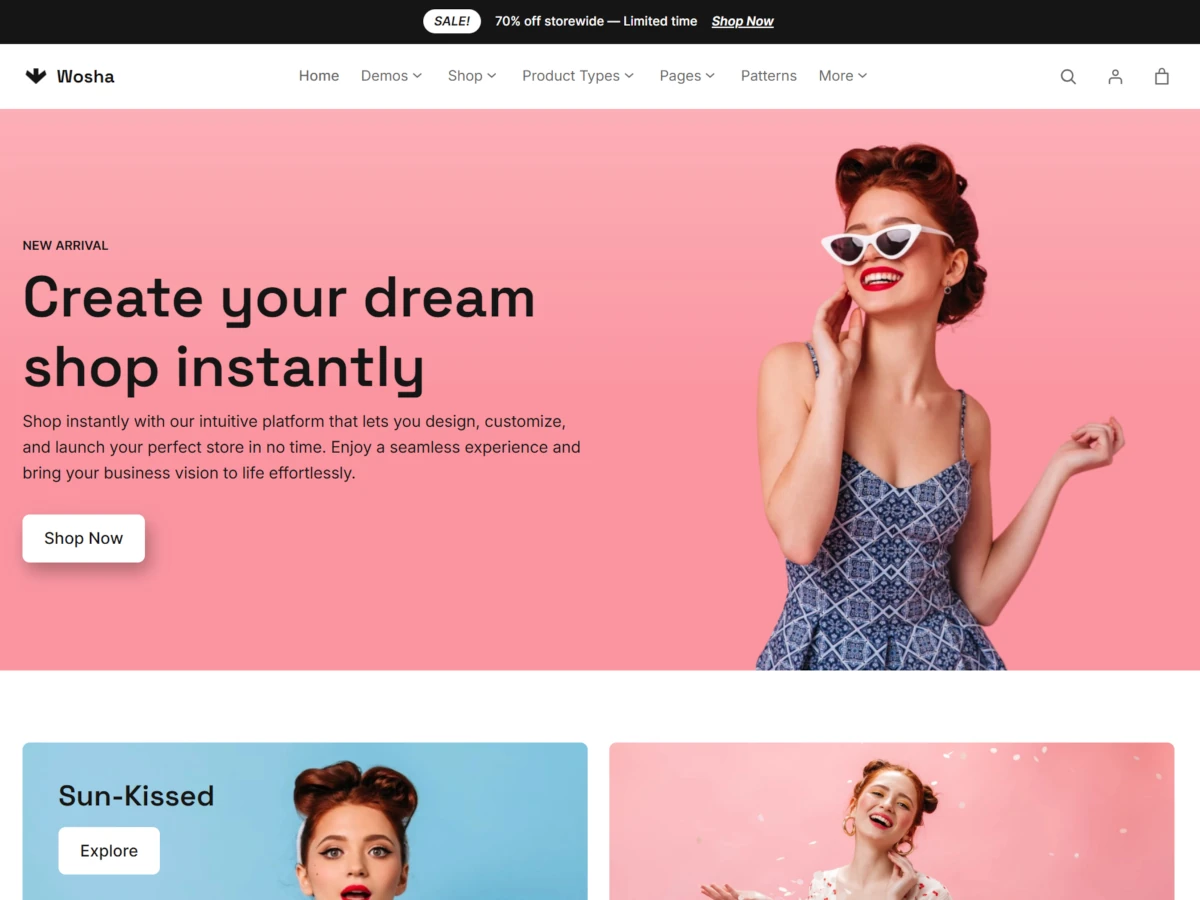
Wosha – Fashion & Apparel WooCommerce WordPress Theme
Create a beautiful online fashion store with Wosha, a modern WordPress block theme designed for clothing brands, apparel retailers, and fashion businesses. Whether you’re launching a boutique, building a dedicated clothing shop, or managing a multi-category fashion store, Wosha gives you the design flexibility and eCommerce tools to establish a professional online presence.
Built around WordPress Full Site Editing and WooCommerce, Wosha makes it easier to shape your store’s appearance, organize product collections, and create a shopping experience that reflects your brand. From attractive product displays to carefully designed shopping pages, every part of your website can be adapted to your business needs.
With dedicated layouts for men’s fashion, women’s clothing, and kids’ apparel, Wosha provides a versatile starting point for businesses looking to grow their online fashion presence.
A Complete Fashion Store Design for Every Collection
Your online store should communicate your brand’s personality from the first visit. Wosha provides a flexible storefront structure that helps you present clothing collections, highlight new arrivals, promote seasonal products, and feature popular items.
Its versatile layouts make it suitable for different fashion businesses, including:
- Men’s clothing and accessories stores
- Women’s fashion and boutique websites
- Kids’ clothing and baby apparel shops
- Streetwear and casual fashion brands
- Online clothing boutiques
- Multi-category apparel marketplaces
- Seasonal fashion and accessories stores
Whether you sell everyday essentials, premium outfits, or trend-focused collections, Wosha provides a foundation for creating a visually engaging shopping destination.
Explore Four Ready-to-Use Fashion Store Demos
Getting your fashion website started doesn’t have to involve designing every page from scratch. Wosha includes four different storefront concepts, giving you a practical starting point for different fashion niches.
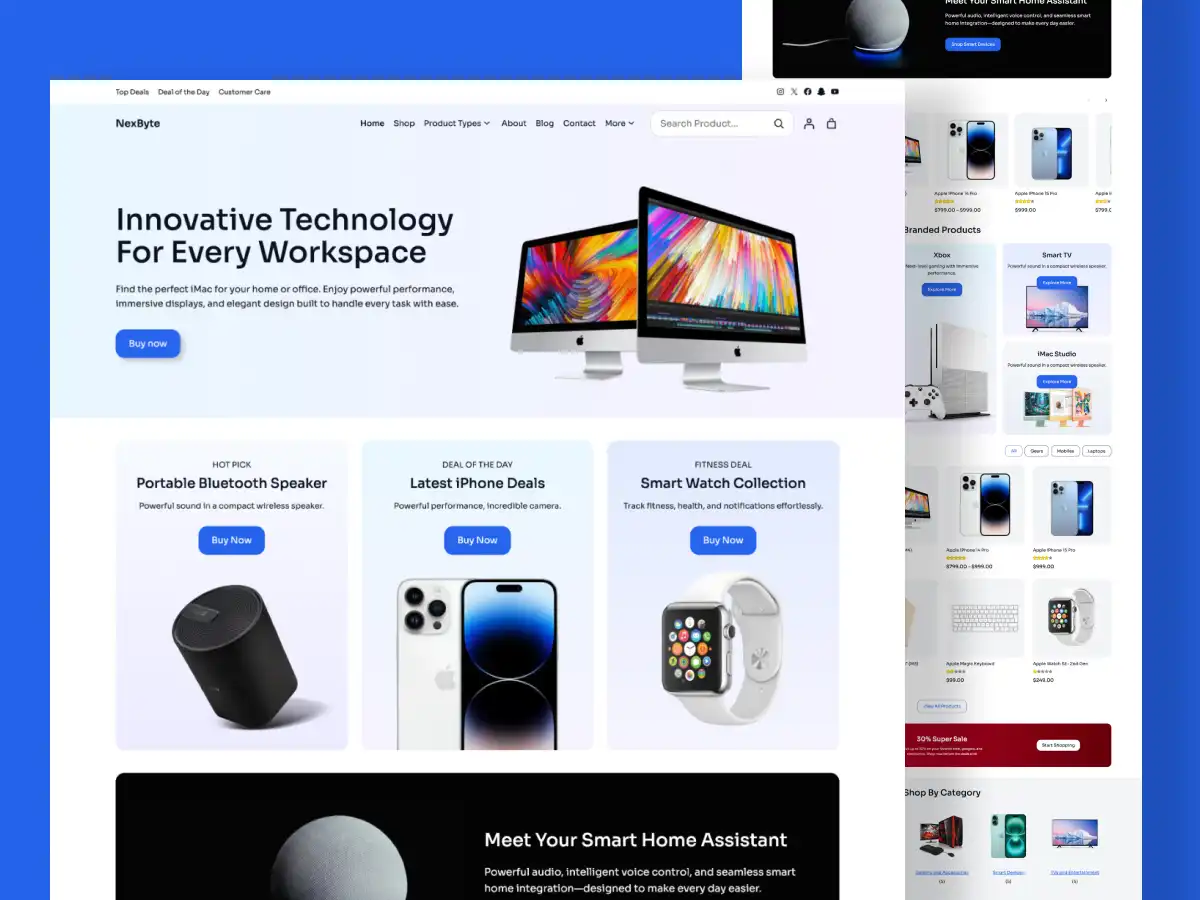
1. Main Fashion Store Demo
Create a versatile online clothing store with a layout suitable for multiple product categories. The main demo combines promotional sections, featured collections, and product displays to help visitors discover different items throughout your catalog.
Ideal for: General fashion retailers, multi-category clothing stores, and apparel businesses.
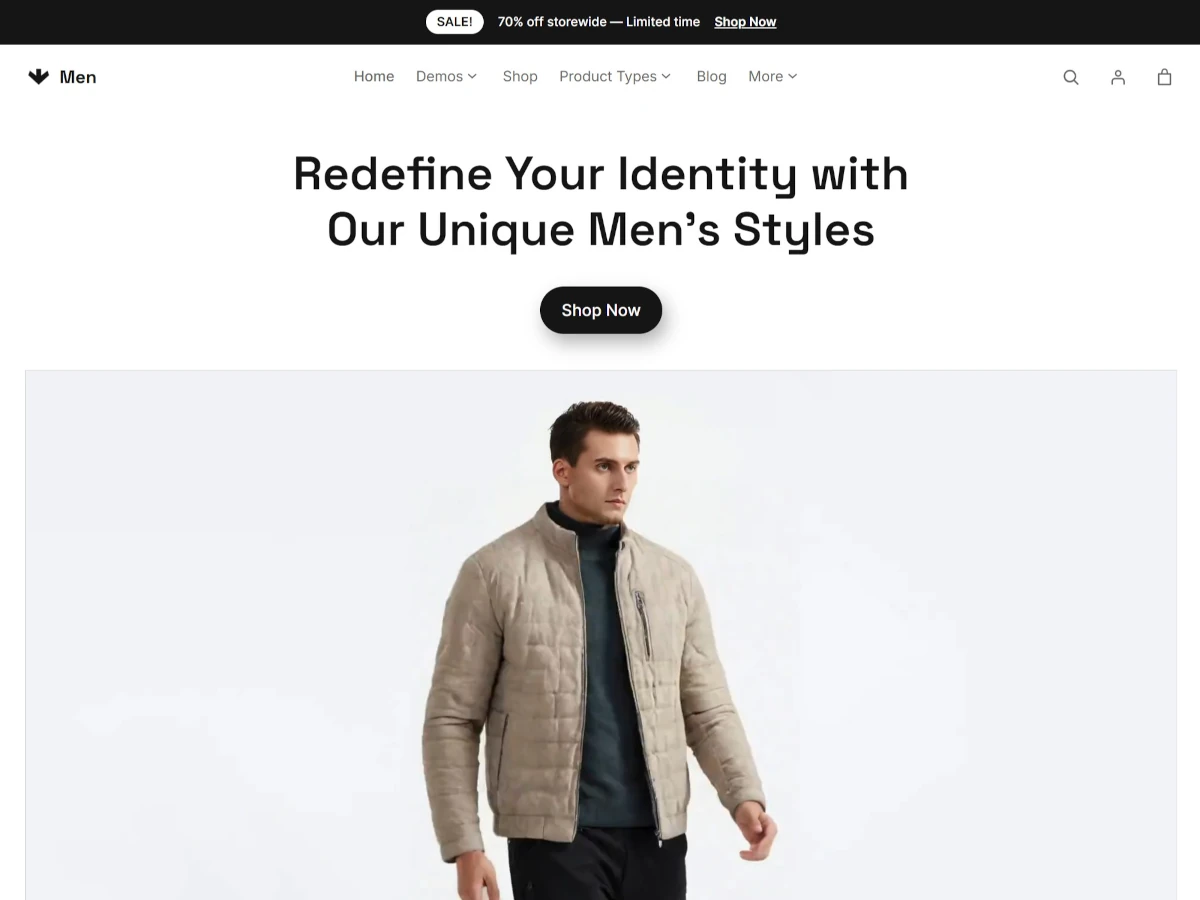
2. Men’s Fashion Demo
Build a dedicated destination for men’s clothing, footwear, and accessories. This layout gives your products a focused presentation, making it easier to organize different styles and showcase your latest collections.
Ideal for: Men’s fashion brands, streetwear shops, and men’s apparel retailers.
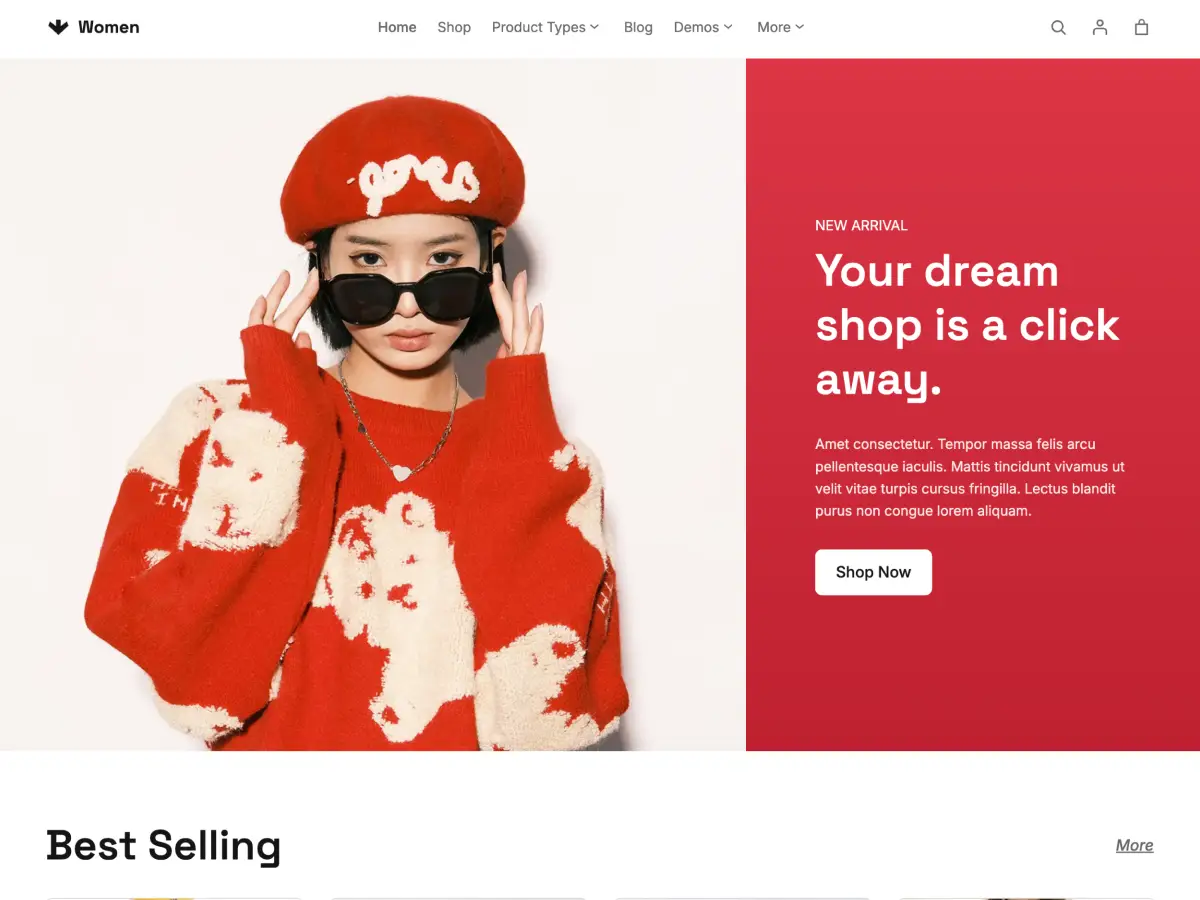
3. Women’s Fashion Demo
Present your women’s clothing collections through an elegant storefront designed around fashion imagery and product discovery. Use the layout to highlight new arrivals, popular items, seasonal collections, and featured products.
Ideal for: Women’s boutiques, clothing brands, and online fashion retailers.
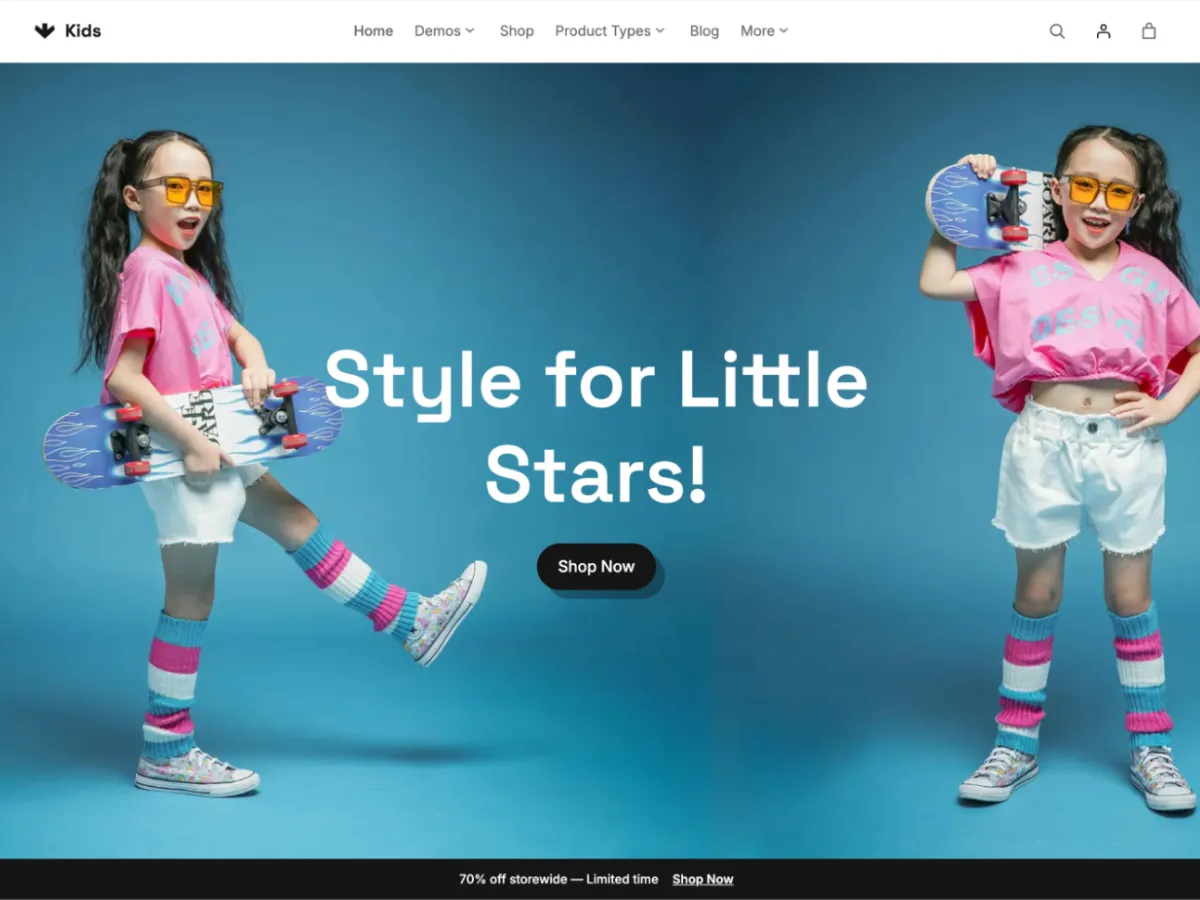
4. Kids’ Fashion Demo
Create a dedicated shopping experience for children’s clothing and accessories. This demo provides a starting point for organizing different kids’ fashion collections and presenting products in an appealing storefront.
Ideal for: Children’s clothing stores, baby apparel shops, and kids’ fashion brands.
Explore the demos:
- Main Demo: https://artifydemos.com/wosha/
- Men’s Demo: https://artifydemos.com/wosha-men/
- Women’s Demo: https://artifydemos.com/wosha-women/
- Kids’ Demo: https://artifydemos.com/wosha-kids/
Customize Your Store with WordPress Full Site Editing
Wosha uses the WordPress block-based editing experience, giving you greater control over your website without depending on traditional theme customization panels.
Work directly with blocks and patterns to adjust your website’s structure and appearance. Modify page sections, rearrange content, update promotional areas, and personalize your storefront through the WordPress Site Editor.
You can customize important website elements, including:
- Header and navigation sections
- Homepage content and promotional banners
- Product collection sections
- Footer layouts
- Typography and color schemes
- Page templates and reusable patterns
This approach makes website customization more accessible, even if you don’t have advanced coding experience.
Flexible Shop Layouts for Better Product Discovery
A well-organized product catalog makes it easier for shoppers to browse your collections and find what they want.
Wosha includes three shop page layout options, allowing you to choose a catalog structure that works best for your business.
Full-Width Shop Layout
Give your products more room with a spacious catalog presentation. This layout is useful for stores that want to emphasize product photography and maintain a clean browsing experience.
Left Sidebar Shop Layout
Place your product filters in a left-hand sidebar. This arrangement works well for stores with larger catalogs where customers need convenient access to filtering options.
Right Sidebar Shop Layout
Position catalog filters on the right side of the product listing. This provides another way to organize your shopping interface according to your preferred storefront design.
Product Pages Designed for Your WooCommerce Catalog
Your product pages play an important role in helping customers make purchasing decisions. Wosha provides dedicated product page layouts that let you present product information alongside attractive imagery.
Use WooCommerce product functionality to organize different types of merchandise, including:
- Simple products
- Variable products with different options
- Grouped products
- External and affiliate products
- Product image galleries
Present product descriptions, images, prices, variations, and other relevant information in an organized format.
Wosha also includes the essential shopping page designs needed for a complete store, including cart and checkout pages.
Pre-Designed Pages for a Complete Website
A successful fashion website needs more than a homepage and product catalog. Customers may also want to learn about your brand, read updates, or contact your business.
Wosha provides ready-to-use page patterns and layouts for important website sections.
Home Page: Introduce your fashion brand, promote featured collections, and highlight new arrivals.
Shop Page: Organize your merchandise into an accessible product catalog with flexible sidebar options.
Product Page: Present individual products with their images, descriptions, pricing, and available options.
About Page: Tell your brand story, introduce your business, and communicate what makes your fashion store different.
Blog Page: Publish fashion inspiration, styling articles, collection announcements, and business updates.
Contact Page: Provide customers with convenient ways to reach your team through contact information and a contact form.
These essential page layouts help you build a more complete online shopping experience.
Build a Consistent Brand Identity with Global Styles
Your website’s visual identity should remain consistent across different pages. Wosha makes it possible to manage your store’s overall appearance using WordPress Global Styles.
Adjust your website’s design settings to establish a consistent look throughout your storefront.
You can personalize elements such as:
- Website typography
- Primary and secondary colors
- Background styles
- Layout appearance
- Shadows and other visual settings
You can also use available theme styles as a starting point and refine the appearance to suit your brand.
Responsive Design for Mobile and Desktop Shopping
Customers visit online stores using different devices. Your storefront should provide a comfortable browsing experience regardless of screen size.
Wosha features a responsive layout that adapts to desktop computers, tablets, and smartphones. This helps maintain a consistent presentation of your fashion collections across different screen sizes.
From browsing product categories to viewing individual items, your website can provide a convenient shopping interface for visitors on the devices they use every day.
A Flexible Foundation for Your Online Business
Although Wosha is designed with fashion retailers in mind, its flexible storefront structure can also be adapted to other product-based businesses.
Use its block-based customization features to create a store for accessories, lifestyle products, specialty merchandise, and other eCommerce categories.
Additional theme highlights include:
- WordPress block editor integration
- Full Site Editing support
- Ready-to-use block patterns
- One-click demo import
- WooCommerce integration
- Three shop page layout variations
- Customizable global styles
- Google Fonts integration
- SEO-friendly markup
- Translation-ready language files
- Responsive layouts
- A performance-focused codebase
Start Building Your Fashion Store with Wosha
Launching an online clothing business requires a storefront that presents your products professionally and makes it easy for customers to explore your collections.
Wosha brings together flexible WordPress editing, WooCommerce functionality, and fashion-focused demo designs to help you create your own online store.
Choose a demo that matches your business, customize the layouts to reflect your brand, add your products, and start building your online fashion destination.
Ready to create your fashion website?
Explore the Wosha demos and discover how easily you can build a modern clothing and apparel store with WordPress.
Stunning Demos Built by Wosha
One-Click Demo Import

Wosha Kids
Wosha Women
Wosha Fashion
Wosha Men Clothing